You open AppClose on your phone to confirm tomorrow's custody exchange — and it won't load. That shutdown notice from last month was real. Two years of message logs, expense receipts, and schedule notes: gone, or locked behind a dead platform with no support line to call.
You need an AppClose alternative today. This guide covers five real options with actual pricing, honest trade-offs, and a migration plan you can execute this afternoon.
What Happened to AppClose?
AppClose officially shut down in January 2026. The company posted a wind-down notice, but the timeline caught many families off guard — particularly parents who had the app written into their parenting agreement by name.
At its peak, AppClose offered a shared calendar, in-app messaging, expense tracking, and basic document storage — all free for core features. For a co-parent on a 70/30 custody schedule or a 2-2-3 custody rotation who just needed to coordinate handoffs without drama, it worked well enough. Nothing fancy. Reliable enough.
Then it wasn't.
One parent on r/Custody described it this way: "I found out AppClose was dead when my ex texted asking why I wasn't responding to messages. I hadn't opened the app in a week — didn't even know it had shut down." That story replayed in hundreds of households. Parents lost access to years of documented exchanges overnight, with no warning and no way to recover the records.
If your court order names AppClose specifically — not just "a co-parenting app" but the actual product — you may have a legal compliance issue, not just an inconvenience. More on that below.
What to Look for in an AppClose Replacement
Before signing up for anything, take ten minutes to figure out what you actually used AppClose for. That answer narrows the field fast, because these apps differ more than their marketing pages suggest.
Shared calendar. The non-negotiable baseline. Both parents need real-time visibility — custody days, school events, medical appointments, exchange times. If your schedule is anything more complex than alternating weeks (a 2-2-3 custody schedule or an 80/20 custody arrangement, for example), confirm the calendar can handle it without clunky workarounds before committing.
Messaging and documentation.If your parenting plan mentions "documented communication," you need a platform that logs every message with a timestamp and locks it — neither parent can edit or delete after sending. OurFamilyWizard and TalkingParents both do this. A standard texting app does not, regardless of how many screenshots you take.
Expense tracking. Shared costs — medical bills, school fees, activity expenses — generate more day-to-day friction than almost anything else in co-parenting. A good replacement lets you submit receipts, split amounts, and maintain a paper trail without passive-aggressive Venmo memos.
Court-ready exports.Some judges want communication records in a clean, printable format. If you're currently mid-litigation or anticipating a modification hearing, this jumps from optional to essential.
Mobile experience.You're coordinating pickups from a parking lot, not a desk. A clunky mobile experience means you won't open the app — and an app neither parent opens is worse than no app at all.
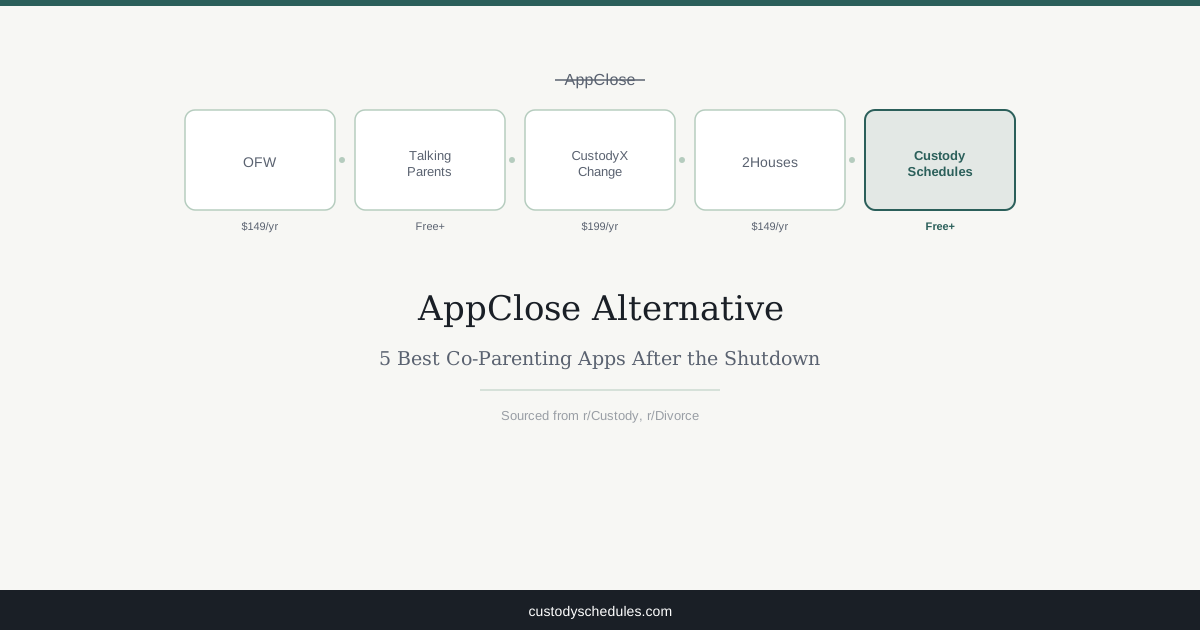
5 Best AppClose Alternatives in 2026
Five options worth your time. Each one has a different strength — and a different deal-breaker depending on your situation.
1. OurFamilyWizard — $149/yr per parent
Start here if your case is active in court. OurFamilyWizard is the platform judges actually name in court orders — family courts across the US have explicitly endorsed it for high-conflict cases, and many attorneys default to recommending it because they know it holds up in hearings. That court recognition is unmatched by any other app on this list.
You get a shared calendar, monitored messaging with a ToneMeter that flags hostile language before you send it, expense tracking with receipt uploads, a journal, and document storage. Attorneys and mediators can get third-party read access to review communications directly — useful when a dispute escalates and your lawyer needs to see the actual exchange, not a screenshot you took.
The cost is real: $298/year for both parents combined. Parents on r/Divorce frequently flag this as a sticking point, especially those coming out of a low-conflict situation who feel like they're paying for an industrial-grade tool they don't need. If a judge has ordered documented communication through a co-parenting app, OurFamilyWizard is the safe, defensible answer. If your case is settled and amicable, it may be overkill.
2. TalkingParents — Free / $8.99/mo premium
Court-admissible records at zero cost. That's TalkingParents' entire pitch, and it's a strong one.
The free tier covers secure messaging, a shared calendar, and payment requests — permanently. Not a trial. The records are unalterable: once sent, neither parent can edit or delete. That same tamper-proof logging applies whether you're paying or not, which makes the free tier genuinely useful rather than a stripped-down demo. Upgrade to Premium ($8.99/month per parent) and you unlock Accountable Calls — recorded, logged phone conversations — plus expanded storage and priority support. No other app on this list logs verbal conversations.
Trade-off: the free version is ad-supported, storage limits bite if you're documenting extensively over months, and the interface is functional rather than polished. Good fit for moderate-conflict situations where you need accountability without a court mandate specifying a particular platform.
3. CustodyXChange — $199/yr
Forget messaging. CustodyXChange doesn't have it — and that's by design. This is schedule-building software, not a communication tool.
What it does exceptionally well: it visualizes complex custody patterns down to the hour and generates court-filing-ready documents from them. You can build alternating-week schedules, 2-2-3 custody rotations, 70/30 custody splits, holiday overrides, and school-year versus summer variations — then export them as professionally formatted PDFs ready for a court filing. The parenting plan templates are detailed enough that some parents use them without an attorney for initial filings, though that carries its own risks. Schedule visualization is genuinely best-in-class.
If you relied on AppClose for daily back-and-forth communication, CustodyXChange doesn't replace that. It's built for parents in active court proceedings or drafting a formal parenting plan — once your schedule is set and you just need day-to-day coordination, you'll want a different tool alongside it.
4. 2Houses — $149/yr per parent
Originally European, 2Houses has grown its US presence with a cleaner interface than most competitors. Calendar, messaging, expense management with receipt uploads, a journal — it covers the full co-parenting toolkit.
The standout feature is the information bank: a centralized place to store your child's medical contacts, school details, allergies, clothing sizes, and the pickup code for after-school care. It's the kind of practical detail most apps skip entirely, and it eliminates a surprising amount of low-grade friction — the "what's the pediatrician's number again?" texts that accumulate when two households manage one kid's logistics separately.
Court recognition in the US is weaker than OurFamilyWizard or TalkingParents. If your case is active or you anticipate future litigation, verify with your attorney before committing. For settled, low-to-moderate conflict situations where you want a modern full-featured app and your court hasn't mandated a specific platform, it's a solid pick.
5. Custody Schedules (This Site) — Free / $9.99/mo
Full transparency upfront: no in-app messaging, no expense tracking. If daily documented communication is your primary need coming out of AppClose, OurFamilyWizard or TalkingParents will serve you better.
We built Custody Schedules specifically for schedule creation and court-ready PDF generation. The free custody schedule generator handles 50/50 custody schedules, 70/30 custody arrangements, 80/20 custody schedules, 2-2-3 custody rotations, alternating weeks, holiday overrides, and custom arrangements — then exports them as court-formatted PDFs. Premium is $9.99/monthfor partner sync, state-specific formatting, and unlimited exports. That's $119.88 a year total — less than what one parent pays for OurFamilyWizard alone.
We're newer. Less court recognition. No messaging. That's the honest trade-off. Try building your schedule free and see whether it covers what you actually needed from AppClose before paying for anything.
Feature Comparison Table
| App | Price | Shared Calendar | Messaging | Expense Tracking | Court-Ready Exports | Mobile App |
|---|---|---|---|---|---|---|
| OurFamilyWizard | $149/yr per parent | Yes | Yes | Yes | Yes | Yes |
| TalkingParents | Free / $8.99/mo | Yes | Yes | Yes | Yes | Yes |
| CustodyXChange | $199/yr | Yes | No | No | Yes (best-in-class) | Yes |
| 2Houses | $149/yr per parent | Yes | Yes | Yes | Yes | Yes |
| Custody Schedules | Free / $9.99/mo | Yes | No | No | Yes | Yes |
How to Migrate from AppClose
Your AppClose data may already be gone. Here's how to salvage what you can and get onto a new platform without a documentation gap.
- Screenshot everything you can still access.If the app or web interface loads at all, download every message log, expense record, and calendar entry available. Save to cloud storage — Google Drive, iCloud, Dropbox — not just your camera roll where they'll get buried.
- Pick your replacement before your next exchange. Going even a week without documentation creates a gap in your records. Choose a platform, create your account today, and confirm push notifications are working before the next handoff.
- Get your co-parent set up on the same platform.Send a direct message with the app name, a signup link, and a specific deadline: "Can you set up your account by Thursday so we're ready for Friday's pickup?" Vague requests don't get done.
- Check your court order language — carefully.If your parenting agreement names AppClose specifically, not just "a co-parenting app," contact your attorney before switching. Some jurisdictions accept written notification to the court; others require a formal modification. Don't guess on a compliance question.
- Rebuild your schedule accurately from day one.Whether you're on a 50/50 custody schedule, a 70/30 custody arrangement, a 2-2-3 custody rotation, or an 80/20 custody schedule, enter it precisely. Vague calendar entries create arguments; accurate ones prevent them.
Choosing the Right Tool for Your Situation
The app that looks best in a feature comparison is rarely the one that actually fits your custody situation. Here's how to think through it.
Court-ordered documentation cases have one real answer: OurFamilyWizard. At $149/year per parent it's the most expensive option here, but if a judge expects documented communication through a parenting app, choosing anything else introduces a risk you don't need. Its court recognition is simply unmatched in the US family law system.
If you need that same accountability but $298/year for two parents is a stretch, TalkingParents' free tier is a genuine alternative — permanent, tamper-proof message records at zero cost. The Accountable Calls upgrade ($8.99/month) is worth it specifically if you need logged phone conversations; otherwise the free tier covers most situations.
In the middle of drafting or modifying a parenting plan? That's where CustodyXChange ($199/year) or Custody Schedules (free to $9.99/month) shine. CustodyXChange has deeper court document templates for formal filings. Our free custody schedule generator is faster for straightforward schedule creation and costs significantly less — worth trying before committing to anything.
For settled, low-conflict situations where you want a modern app with full messaging and expense tracking, 2Houses ($149/year per parent) is worth a look. The information bank — one central place for your child's school contacts, allergies, and medical details — is the kind of practical feature that reduces the daily friction of running two households. Just verify US court acceptance with your attorney if your case is at all active.
Ultimately, the best app is the one both parents will open every single day. A $149/year platform collecting dust on someone's phone is worse than a free one you both check before every exchange.
Related Reading
- 50/50 custody schedule — four equal-time patterns compared, with real-world trade-offs
- 70/30 custody schedule — when one parent needs to hold primary time
- parenting plan template — every section courts require in your filing, with examples
- 2-2-3 custody schedule — how the rotating week pattern works and who it fits best